Alpha

Remove backgrounds. Keep every detail.

Turn a photo—or a whole folder—into transparent PNGs. Entirely on your Mac.

macOS 14.0 or later
One-time purchase · No account · Works offline. Exports new PNG files; originals stay unchanged.

  • Mac
$3.99
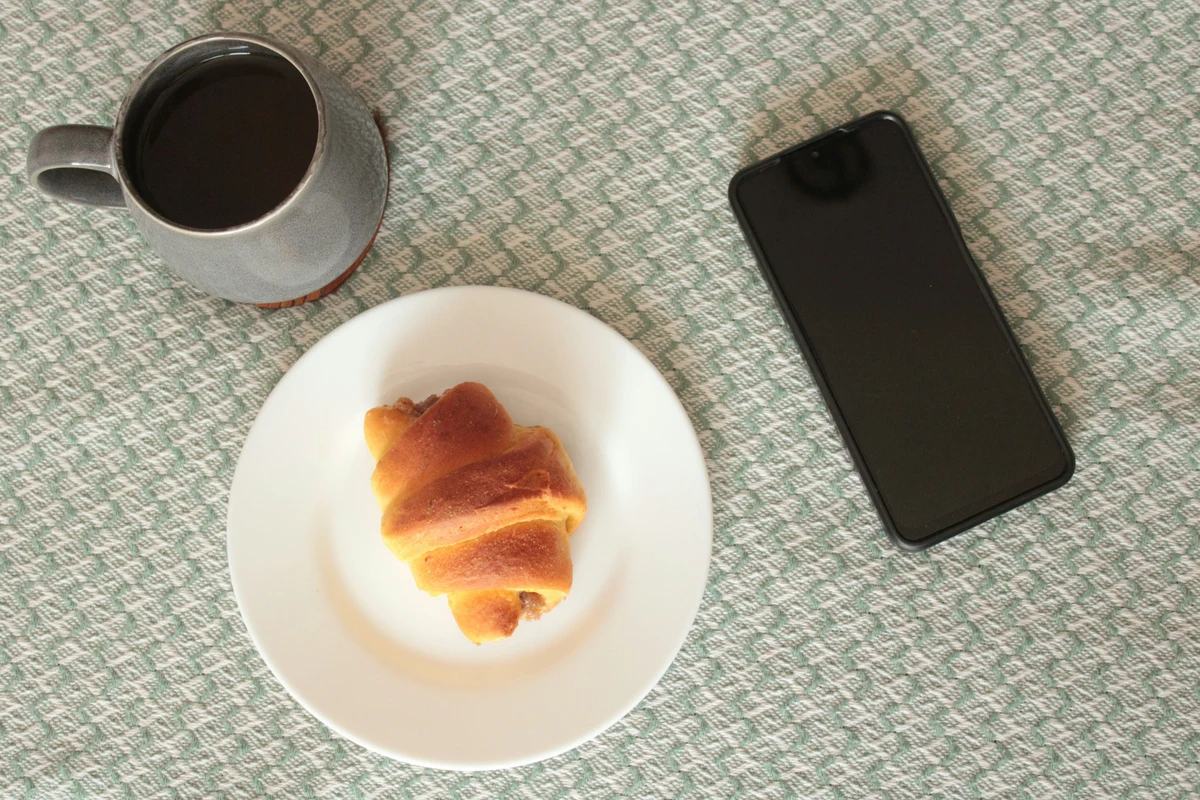
Original photo of a coffee cup, plate and phone on a table
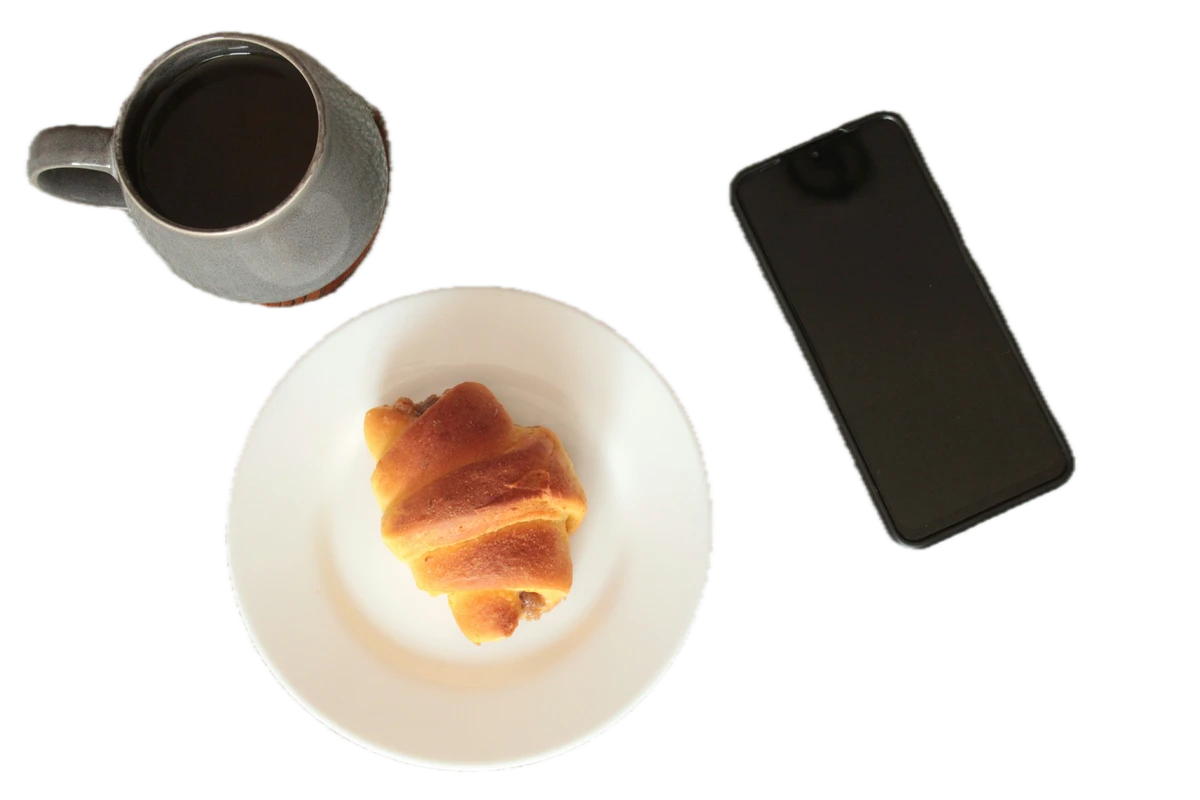
The same objects with their background removed
OriginalTransparent PNG

Same photo, processed locally with Apple Vision, the foreground detection used by Alpha. Drag the slider or use the arrow keys. Your originals stay unchanged.

What it does

Click to choose what stays

Click an object to keep only it. Shift-click to add another, Option-click to take one away. Object mode is for products, pets and things, Person mode for people.

Alpha: Click to choose what stays

Fix any edge by hand

A brush that erases or restores, with its own size, strength and softness, for hair, fur and tricky edges. Hold \ to compare with the original at any moment.

Alpha: Fix any edge by hand

A whole folder at once

Drop dozens of photos, or a folder, into one window. Each one is cut out right away and the results appear in a grid. Double-click any of them to fix it in the same window.

Alpha: A whole folder at once
All features
  • Cut out as it opens — Alpha finds the subject the moment a photo opens: every object in the foreground, or up to four people. The rest becomes transparent. Undo brings the original back.
  • Click to choose what stays — Click an object to keep only it. Shift-click to add another, Option-click to take one away. Object mode is for products, pets and things, Person mode for people.
  • Fix any edge by hand — A brush that erases or restores, with its own size, strength and softness, for hair, fur and tricky edges. Hold \ to compare with the original at any moment.
  • A whole folder at once — Drop dozens of photos, or a folder, into one window. Each one is cut out right away and the results appear in a grid. Double-click any of them to fix it in the same window.
  • Only what needs a look — Images where nothing was found, or that you edited by hand, carry a badge. Needs Review shows just those, so you don't have to check every result.
  • One Export for everything — Export saves every result as a transparent PNG into a folder you choose. Existing files are never replaced, and your originals stay as they are.
  • Take it anywhere — Drag the cutout to the Finder or another app, copy it with ⌘C, or share it via AirDrop, Messages and Notes. Wide-gamut (Display P3) photos keep their colour.
  • Made for the Mac — Opens JPEG, PNG, HEIC, WebP, TIFF and GIF, or a screenshot pasted with ⌘V. Checkerboard, white, black or any colour behind the cutout, pinch to zoom, keyboard shortcuts for everything. In 20 languages.

Privacy

Alpha doesn't collect any data. Its App Store privacy label reads “Data Not Collected”.

Privacy policy for Alpha

Details

Requires
macOS 14.0 or later
Category
Graphics & Design
Price
$3.99, one-time purchase

Support

Is Alpha the same app as Alpha Blender?

Yes. Alpha Blender is now called Alpha. If you bought it, the update is free: there's nothing to buy again.

Are my photos uploaded to a server?

No. Finding the subject, editing and exporting all happen on your Mac, without an internet connection.

Does it change my original files?

No. Every result is a new PNG file, “<name> (cutout).png”. When you export many at once, existing files are never replaced: a second export is saved as “… (cutout) 2.png”.

It found nothing, or the wrong thing. What now?

Try the other mode: Person instead of Object, or the other way round, for that image only or for the whole window. Then click to keep the right objects and use the brush for what's left.

Is there a subscription?

No. Alpha is a one-time purchase, with no subscription and no account.

Something else?

Write to support@astrvm.app. Include your macOS version and what you were doing when the problem appeared.

Alpha

Removes the background from one photo or a whole folder, on your Mac.

Download on the App Store

$3.99