Every new name, before you rename
Old and new names side by side, updated as you edit. Conflicts are found before anything changes on disk.

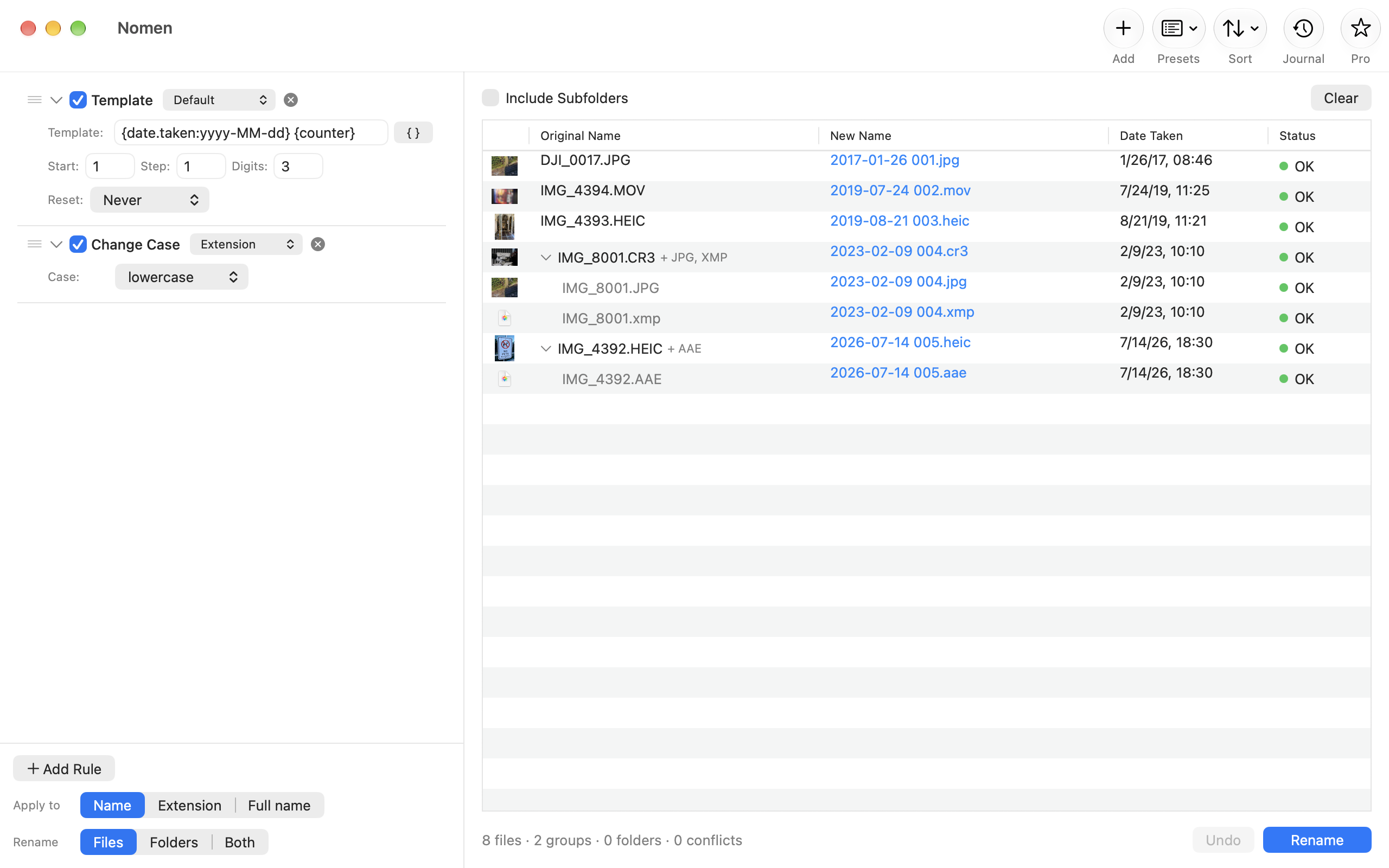
Nomen renames hundreds of photos and files at once and shows every new name before anything changes. Nomen Pro, a one-time purchase, names photos and videos by the date taken, time zones and Google Takeout exports included. RAW files stay with their JPEGs and sidecars, and a rename can be undone even after a restart, as long as the files haven't been moved or renamed since. Basic rules are free, with no limit on files. No subscription.
Black Friday: Nomen Pro is $4.99 instead of $6.99 from November 26 to December 1, 2026, with no code. Lowest price in the previous 30 days: $6.99. Prices in other countries are reduced by about the same amount.
macOS 13 or later · City and country names: an internet connection
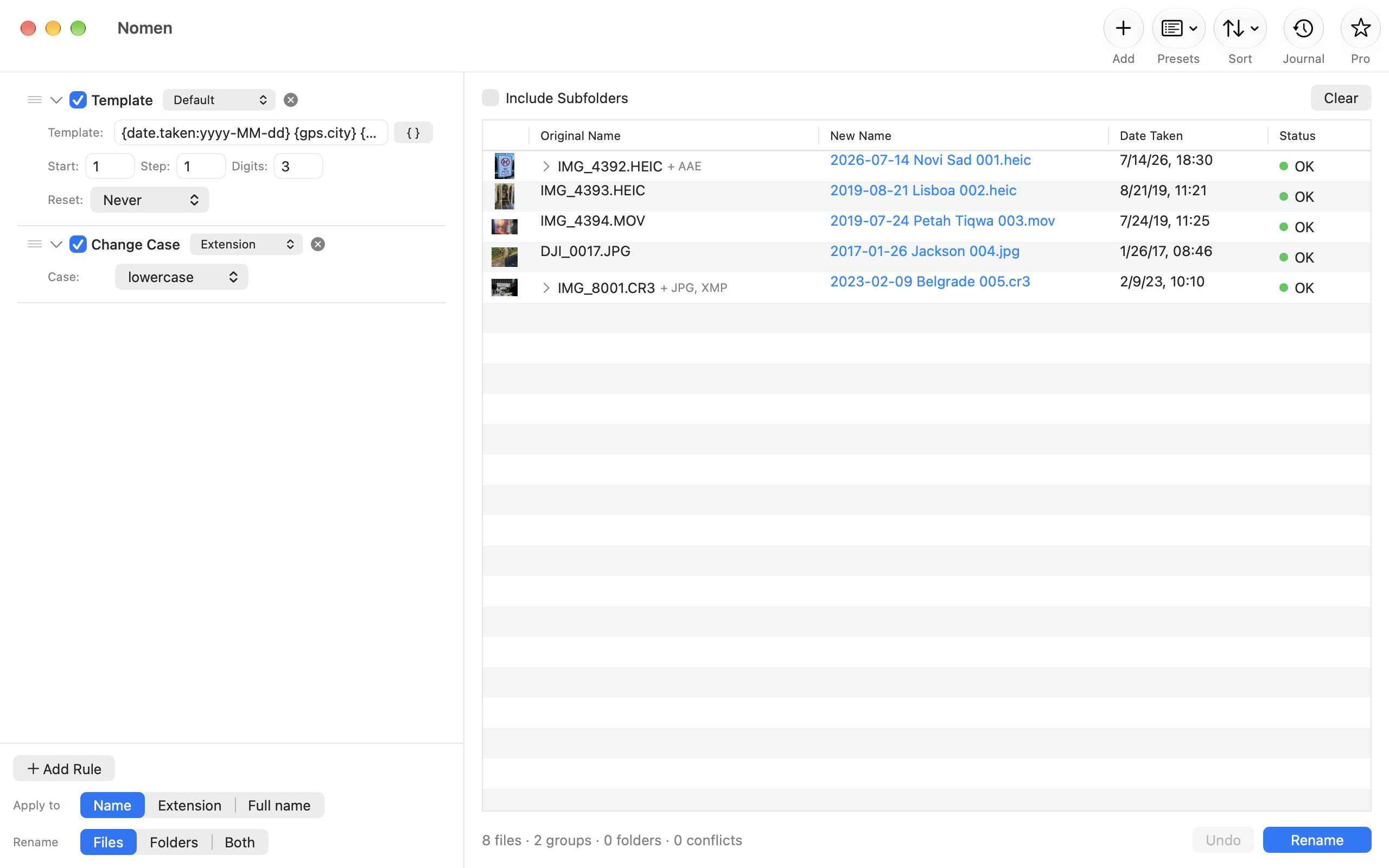
Old and new names side by side, updated as you edit. Conflicts are found before anything changes on disk.
Nomen never overwrites or deletes files. When a new name is already taken, it adds a numeric suffix, or you skip those files.
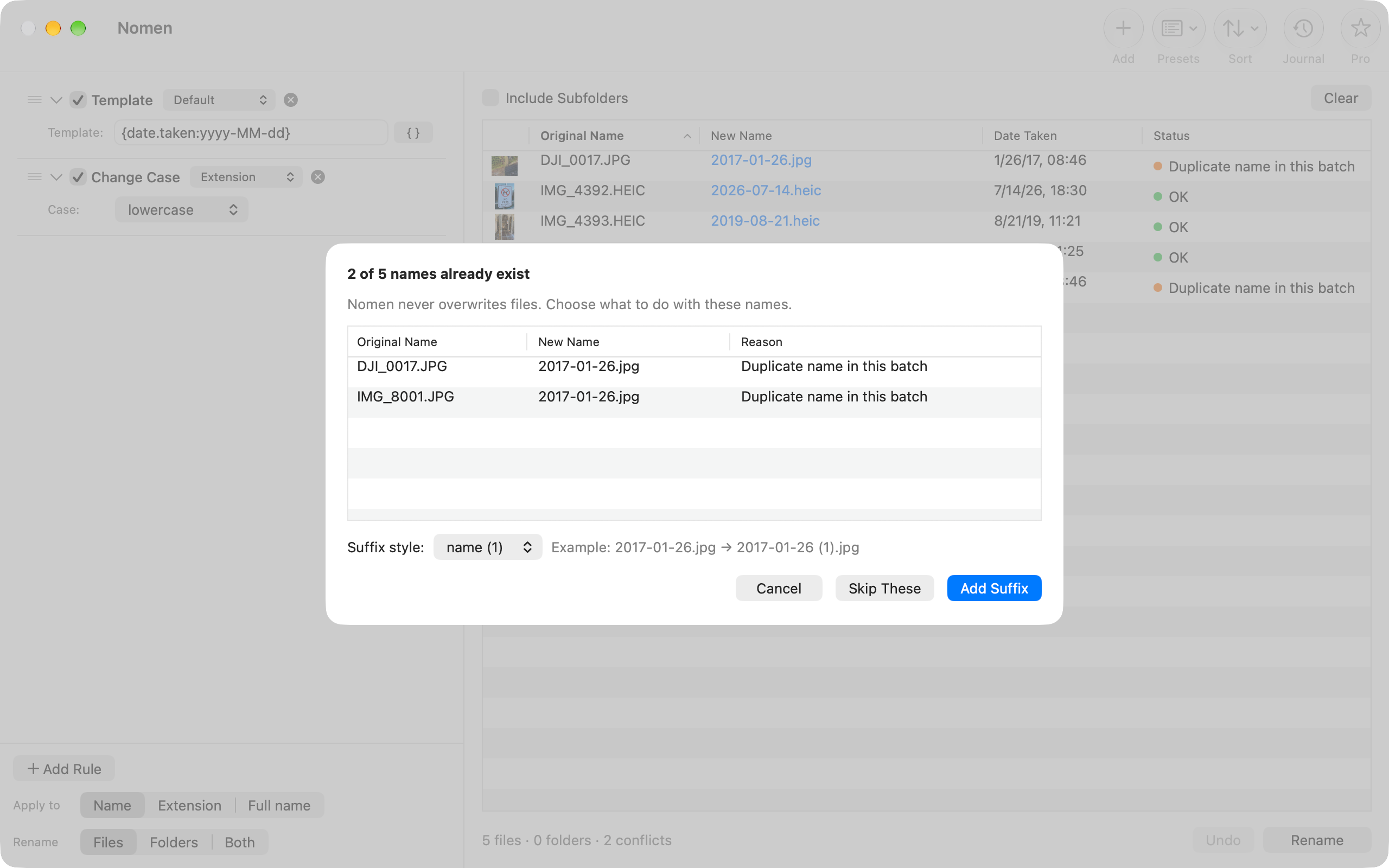
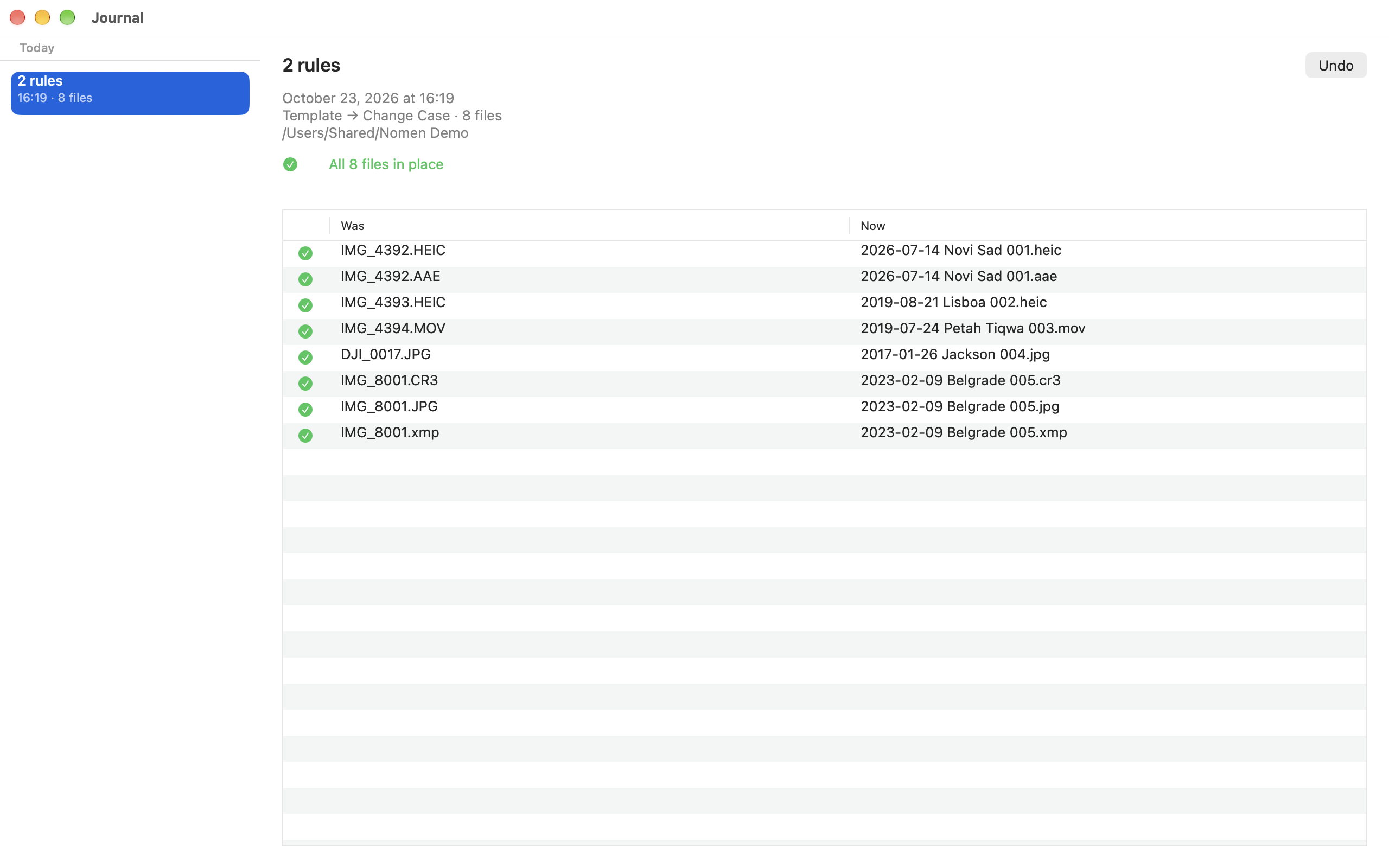
Every rename goes to the Journal (⌘J) and can be undone there later, as long as the files are still where Nomen left them.
Compare the features in each version.
| FreeEvery basic rule, one at a time, with no limit on files. | ProDate taken and other metadata, rule chains, presets, Shortcuts. | |
|---|---|---|
| Rule chains | Not included | Included |
| Date taken, camera and lens | Not included | Included |
| City and country from GPS | Not included | Included |
| Presets | Not included | Included |
| Shortcuts and Quick Actions | Not included | Included |
| Price | FreeApp StoreGet | $6.99App StoreGet |
Pro is an in-app purchase in Nomen, not a separate app. One purchase, no subscription.
Nomen doesn't collect any data. Its App Store privacy label reads “Data Not Collected”.
Free has every basic rule, one at a time, with the preview, sorting, folders, RAW + JPEG + sidecar groups, the Journal and Undo, and Rename with Nomen… in Finder. There is no limit on the number of files. Nomen Pro, a one-time in-app purchase of $6.99 in the US, adds rule chains, presets, renaming and sorting by date taken, renaming by camera, lens and place, dates from Google Takeout JSON files, and renaming from Shortcuts and Quick Actions. You can preview rule chains, metadata names and built-in presets in Free before you buy.
Open the Journal with ⌘J, pick the rename and click Undo. This works after a restart too, as long as the files haven't been moved or renamed since.
macOS lets an app rename files only in folders you have allowed. Nomen asks when you click Rename, names the folder, and remembers your answer for it.
Look under Quick Actions or Services in the right-click menu. If it isn't there, turn it on in System Settings → Keyboard → Keyboard Shortcuts → Services → Files and Folders.
Click Pro in the toolbar, then Restore Purchases, signed in with the Apple Account you bought it with.
Write to support@astrvm.app. Include your macOS version and what you were doing when the problem appeared.
Renames photos and files in batches. Nomen Pro names them by the date taken.

Free · Free
I'm Oleg, the developer of Nomen. It's on the Mac App Store under the developer account Pavel Kosykh (studio Astrum Vitriolum, astrvm.app).
Credits for the photos and videos in the App Store screenshots